Showing posts with label Minecraft. Show all posts

Monday, 20 April 2020

Project 131: Minecraft Education

As Microsoft announced they were going to make a lot of their Minecraft Education resources available for free during the Coronavirus outbreak, we decided the children could explore some of them as a project. Minecraft goes in and out of fashion with the children, but as it seems very popular with all three at the moment, it couldn't have come at a better time. Minecraft has previously been the focus of one project (Project 31: Minecraft and Redstone), and incorporated in a number of others, from the Royal Mail to railways).

Over the week we explored six of the worlds that were made available: the Human BodyMarine BiologistInternational Space Station; Mount OlympusBees!; and Logic0. Where appropriate we supplemented the worlds with other book and video resources that we had available.

The most popular worlds for the children were those where you actually had to do specific tasks, for example, scanning the fish as a marine biologist. Whereas the International Space Station looked impressive from the outside, the children quickly bored of it.

Marine Biologist
Bees!
International Space Station

Solomon and Monica were also tasked with coming up with an idea for their own worlds for educational purposes. Solomon suggested a Viking village with campfires and a longship so you could go off pillaging. Monica wanted to create a giant garden full of flowers: building models of flowers, planting flowers, and even a flower ferris wheel (nb. we explored Bees! after she had suggested her idea for a world).

It was interesting to explore such an eclectic set of Minecraft resources, but it was also a reminder of the affordances of different media. Minecraft Education can be a useful aid, and will undoubtedly get the children's attention, but if you want 'learning' it needs to be combined with other resources.

Next project: Black Beauty (...because we've had enough of screens for a week!)

Sunday, 22 April 2018

Project 31: Minecraft and Redstone

At Solomon's instigation we explored Minecraft and redstone (Minecraft's answer to electronics) a bit further this week.

Solomon has quite an extensive library of Minecraft books, and we tried building a couple of items out of the Minecraft Guide to Redstone, adding them to his ongoing Minecraft castle.  Unfortunately, whilst the armour swapper we built at one end of the castle wall worked well, when we tried to build an elevator at the other end it kept shooting off into the sky! We think the problem was that to get an observer block facing in the right direction on the Switch we had to mine the redstone below it, and when the redstone was replaced it triggered the observer. We'll see if we can find a workaround, but it may be that the elevator is something we have to create on the PC instead.

Minecraft Armour Swapper
We bought the Minecraft Windows 10 edition specifically for this week's project so that Solomon could try programming with MakeCode for Minecraft. MakeCode for Minecraft is a drag and drop blocks programming language for interacting with Minecraft (specifically the Windows 10 or Education editions). It is easy to use, and Solomon loved it - undoubtedly his favourite form of programming so far. If you have a child who likes Minecraft, and you want to encourage programming, this is a great option. We stuck to the simple tutorials, but there are even lesson plans available for introducing more complex ideas such as artificial intelligence.

MakeCode for Minecraft
We didn't just want Solomon stuck in front of a computer screen all week, so we also got him and his sister to make some Minecraft mosaic masks.
'Alex' and 'Ender Dragon' Mosaic Masks
Next week's project: Board games!

Monday, 19 March 2018

Project 26: Trains!

This week's project was all about trains - their history and their impact.

We started the week with a brief overview of the history of trains, from the Rocket to maglevs, looking through some of Solomon's reference books and watching some online videos. We visited the library, hoping to get some more books, but Peterborough's public library provision is appalling - there was a single children's book on trains available, Getting around by train, suitable for someone far younger. We did get An Illustrated History of Trains from the adult section, however, and that prompted us to watch Buster Keaton's silent film classic The General:
The General is now freely available online, and despite being black & white, silent, and over 90 years old, it kept all three children (2, 3, & 5 yrs old) engaged throughout. We also watched the theatre version of the Railway Children, recorded for Sky Arts in 2016, equally engaging, albeit with far fewer cannons on trains.

We looked more closely at how a steam engine works with a Mamod steam engine we had in the back of the cupboard, built a railway extension to our Minecraft castle, and installed the (freely available) Open Rails simulator to drive an old diesel engine from Edinburgh to Glasgow.

Steam engine - starts moving at 3:40

Minecraft railway with glass signal box and redstone switches
Open Rails simulator
Finally, we finished the week with a trip on a steam train on the Nene Valley Railway. Despite being freezing cold we had a great day out, travelling on a  steam train, visiting the workshop, and going on the Swedish Railcar (which was also running for an open day).
GWR Steam Locomotive No. 5619
Wansford Workshop
'Helga' Swedish Railcar 1212
Next week's project: Under the Sea

Sunday, 14 January 2018

Project 18: History of Computing

Following on from our first home education project Project 1: History of Computer Games, this week we explored the history of computing more broadly. Exploring how technology has changed from the early mechanical adding aids to the modern digital computers that we have access to today. In addition to the usual books and videos we built some logic gates in Minecraft, visited the Centre for Computing History, and created a micro:bot with a BBC micro:bit.

Like many children his age Solomon loves exploring and building things in Minecraft, so it was an ideal environment to show how from valves and transistors we can now build virtual computers in Minecraft using redstone. Obviously such a task is beyond the scope of a one week project for a five year old, but we did build AND and XOR Minecraft logic gates that could be combined to add up two single digit binary numbers.
Logic gates in Minecraft
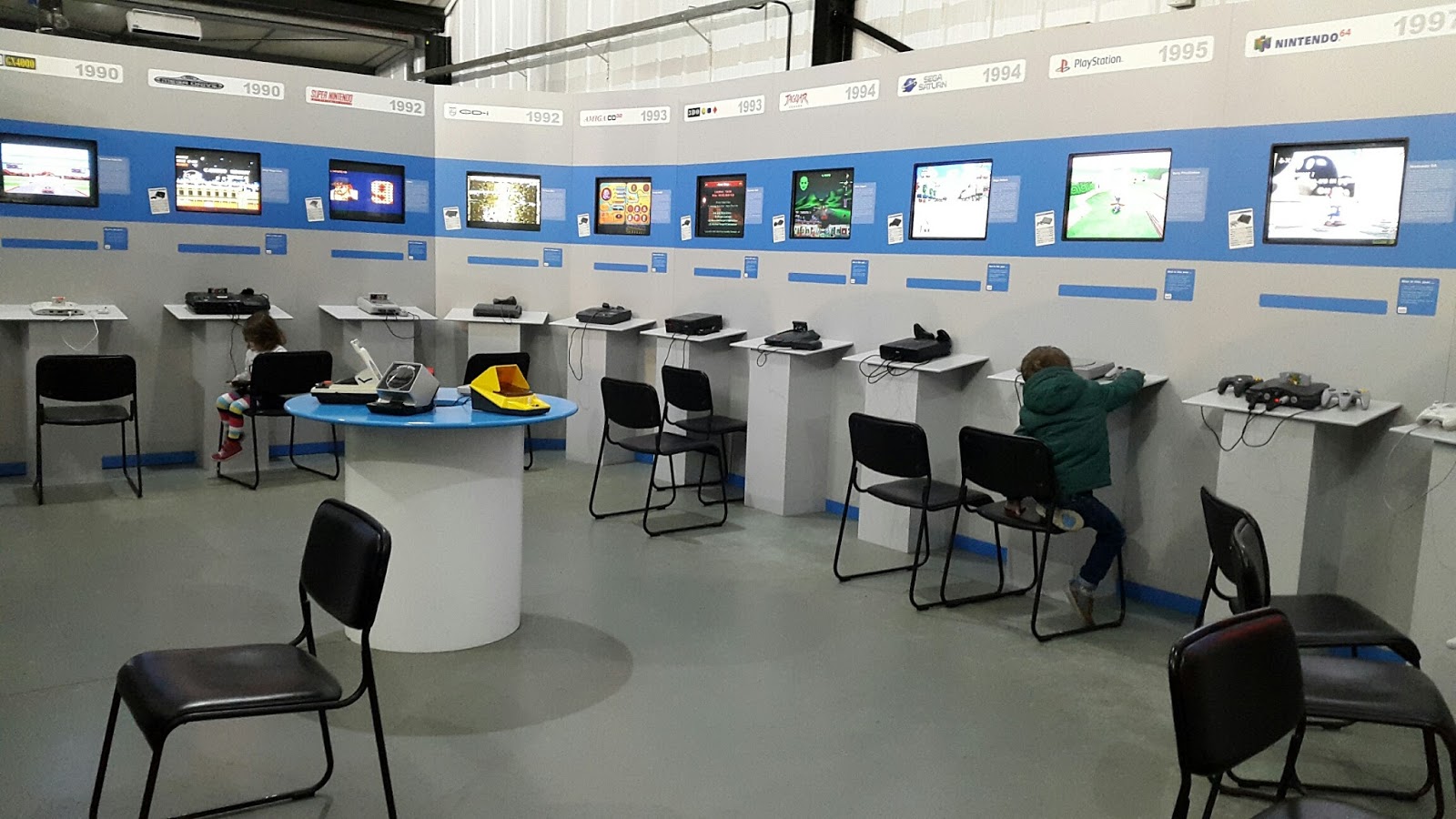
The Centre for Computing History in Cambridge is similar to the National Videogame Arcade in Nottingham, but with additional non-games related exhibitions. Unsurprisingly, however, the children preferred the gaming aspects, in particular Solomon enjoyed the range of classic Sonic and Mario console games available. As we went on a week day in term time we had free run of the place for most of the time. The staff were very helpful and there were some good worksheets. It was a great place for a day out, and we will definitely visit again.

Consoles at the Centre for Computing History
Pixel Art Worksheet
Finally we explored the latest generation of hobby computers by building a micro:bot with a BBC micro:bit, which is supposed to be a bit like a hexbug.
BBC micro:bit micro:bot
It was a nice little project, although there were a few difficulties: Maplins didn't have all the pieces we needed, and the code blocks differed slightly between the instructions and the micro:bit web site. Kitronik however will send out components the same day if you order before 3pm, and we managed to work out which blocks we needed.
Final micro:bot code

Next week's project: Science and chemistry

Sunday, 24 September 2017

Project 3: Medieval Castles

This week we learned all about medieval castles. As well as getting a lot of books on castles from the library, we visited Lincoln Castle and built a castle in Minecraft.
Lincoln Castle Gate

Lincoln Castle was a great place to visit, although it rained a lot in the afternoon. The children enjoyed the walk around the castle walls, and exploring the Victorian Prison. Lincoln Castle holds one of the four original copies of the Magna Carta, although this was quite an underwhelming display. Undoubtedly the low point of day was the cafe, which had a rather paltry (and over-priced) selection.
Lincoln Castle Wall

Lincoln Castle Prison
We used Minecraft: Exploded Builds: Medieval Fortress to build our castle. It provides lots of detail, and lots of potential for customisation, but an extensive castle will take a long time to build even when building in two-player mode. So far we have a turret and a couple of walls, but we plan to continue adding to the castle over the next few weeks.

Minecraft Castle
Next week: Flags!