Showing posts with label computer games. Show all posts

Monday, 12 November 2018

Project 59: Designing a computer game

It was Solomon's birthday this week and (unsurprisingly!) he wanted to pick something to do with computer games. We have previously done quite a few computer and computer game projects:


So this week we tried to get them to think more about the design of computer games, potential input devices and designing their own pixelated characters.

We started the week by watching some more videos on the history of computer games, and the film Pixels, where the world is invaded by 1980s video games (currently available on Netflix). The TED-Ed video was particularly good, but unfortunately it's only part 1, and five years later we're still waiting for part 2 to appear!

We went to Namco Funscape on the South Bank in London for our trip out. It's the closest you can get to an old fashioned arcade these days, albeit with a greater emphasis on the variety of input devices (e.g., guns, dance mats, and snowboards) and winning tickets. Solomon has already declared that he wants to go again for his next birthday as he loves it, and wants to win lots more of the Pac-Man merchandise!
Namco Funscape
At home we explored the different sorts of input devices that you could create with a Makey-Makey, and built the Nintendo Labo fishing rod. The Makey-Makey is a circuit board that you can plug into your PC and create new input devices by making simple circuits. Nintendo Labo allows you to build new input devices for the Nintendo Switch by combining the controllers with cardboard.
Playing Tetris with the Makey-Makey

Playing with the Nintendo Labo fishing rod
Finally the kids designed their own computer characters: Croc-a-roo and Sissy the Robot.
Croc-a-roo and Sissy the Robot
Solomon's Croc-a-roo is designed with traditional gameplay in mind "it snaps and jumps at baddies in a moving platform game". Monica's character is more genre-busting: "Sissy the Robot walks about waving her arms at people and then goes to live with Peach*".

*from the Mario franchise - intellectual property rights mean nothing to children!

Next week's project: Transport

Sunday, 14 January 2018

Project 18: History of Computing

Following on from our first home education project Project 1: History of Computer Games, this week we explored the history of computing more broadly. Exploring how technology has changed from the early mechanical adding aids to the modern digital computers that we have access to today. In addition to the usual books and videos we built some logic gates in Minecraft, visited the Centre for Computing History, and created a micro:bot with a BBC micro:bit.

Like many children his age Solomon loves exploring and building things in Minecraft, so it was an ideal environment to show how from valves and transistors we can now build virtual computers in Minecraft using redstone. Obviously such a task is beyond the scope of a one week project for a five year old, but we did build AND and XOR Minecraft logic gates that could be combined to add up two single digit binary numbers.
Logic gates in Minecraft
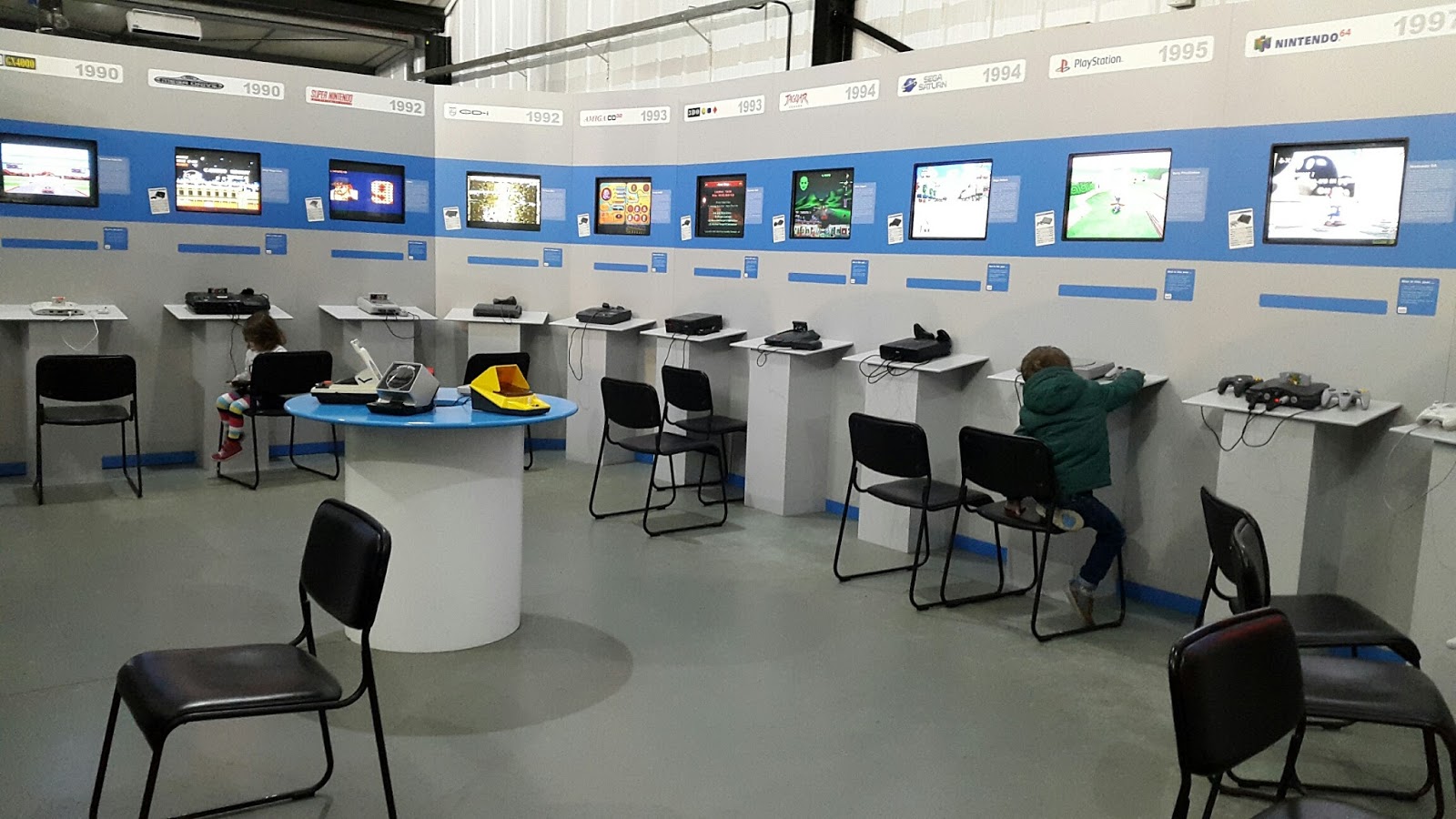
The Centre for Computing History in Cambridge is similar to the National Videogame Arcade in Nottingham, but with additional non-games related exhibitions. Unsurprisingly, however, the children preferred the gaming aspects, in particular Solomon enjoyed the range of classic Sonic and Mario console games available. As we went on a week day in term time we had free run of the place for most of the time. The staff were very helpful and there were some good worksheets. It was a great place for a day out, and we will definitely visit again.

Consoles at the Centre for Computing History
Pixel Art Worksheet
Finally we explored the latest generation of hobby computers by building a micro:bot with a BBC micro:bit, which is supposed to be a bit like a hexbug.
BBC micro:bit micro:bot
It was a nice little project, although there were a few difficulties: Maplins didn't have all the pieces we needed, and the code blocks differed slightly between the instructions and the micro:bit web site. Kitronik however will send out components the same day if you order before 3pm, and we managed to work out which blocks we needed.
Final micro:bot code

Next week's project: Science and chemistry

Sunday, 10 September 2017

Project 1: History of Computer Games

Solomon picked 'History of Computer Games' for his first project (from a selection of options that we've created as a family). The project was designed to demonstrate technological progress.

We played a selection of games on the Atari Flashback 6, dug out Mum's old Sega Megadrive, and of course played Minecraft on the Nintendo Switch.

Asteroids on the Atari Flashback
We visited the National Videogame Arcade in Nottingham, and played on lots of different computers and arcade machines from the last 40 years.

The National Videogame Arcade in Nottingham
Solomon playing Superfrog on the Amiga

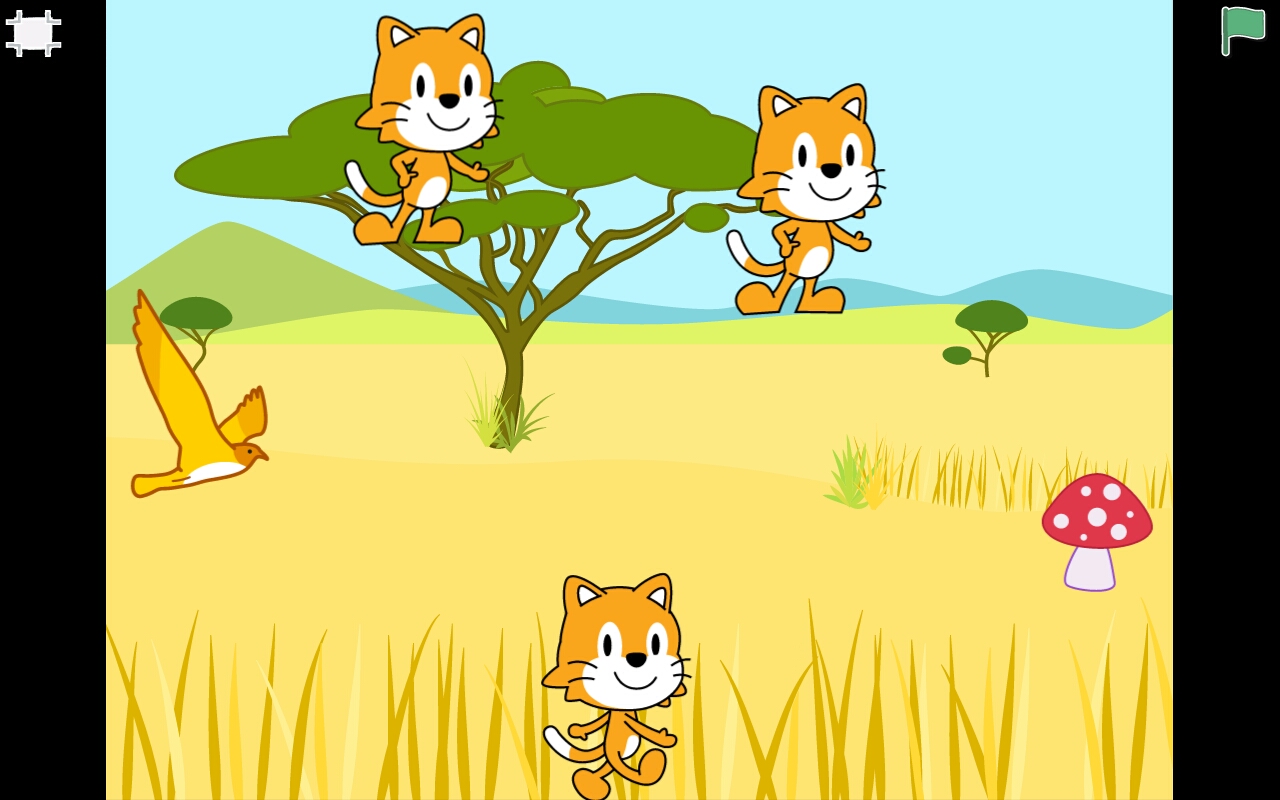
Finally, we finished the week by programming our own game on Scratch Jr on a tablet, from the (highly recommended) Official ScratchJr Book. ScratchJr is a drag-n-drop blocks programming language for 5-7 yr olds, and in the 'Cats Versus Birds' game the idea is to safely get the bird to the mushroom without hitting any of the cats that are moving up and down the screen.
'Cats Versus Birds' on ScratchJr
Next week's project: All about Maps.